Previous page
Next page
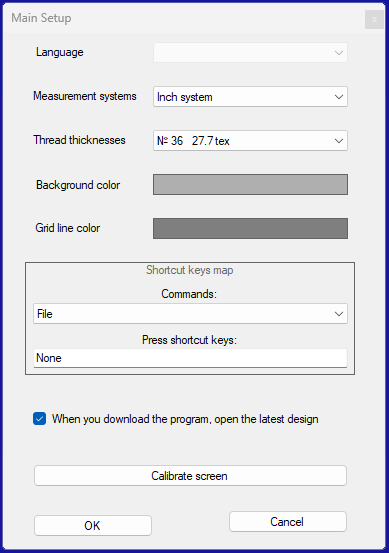
Language
Interface Language Pack Selection from Available Options
Measurement systems
Select Measurement Units: mm or inches
Background color
Set Work Area Background Color
Grid line color
Set Color of Grid Lines
Shortcut keys map
Setting Hotkeys for Individual Program Commands. To do this, select the desired command from the dropdown list. Place the cursor in the field below and click. Then press the key or key combination.
When you launch the program, open the latest design
Check this box if you want the program to open the last viewed file upon startup.
Calibrate screen
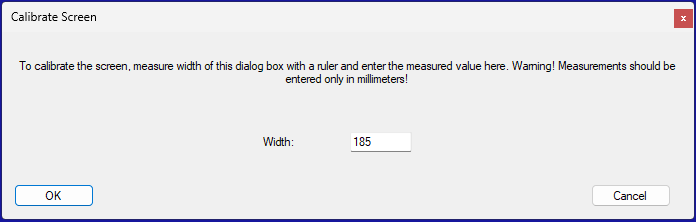
Screen calibration is necessary to accurately reproduce embroidery dimensions on the display. After clicking the "Calibrate Screen" button, the following window will appear where you will be prompted to measure its width. Please note that all measurements should be taken in millimeters.
Version 2.1 from June 12, 2025
Copyright © Sloyk 2025